 USD / Language


360 Extreme X Browser: Manage Extensions
| Your Currently Installed AliPrice Extension | Status | Management Suggestions |
|---|
1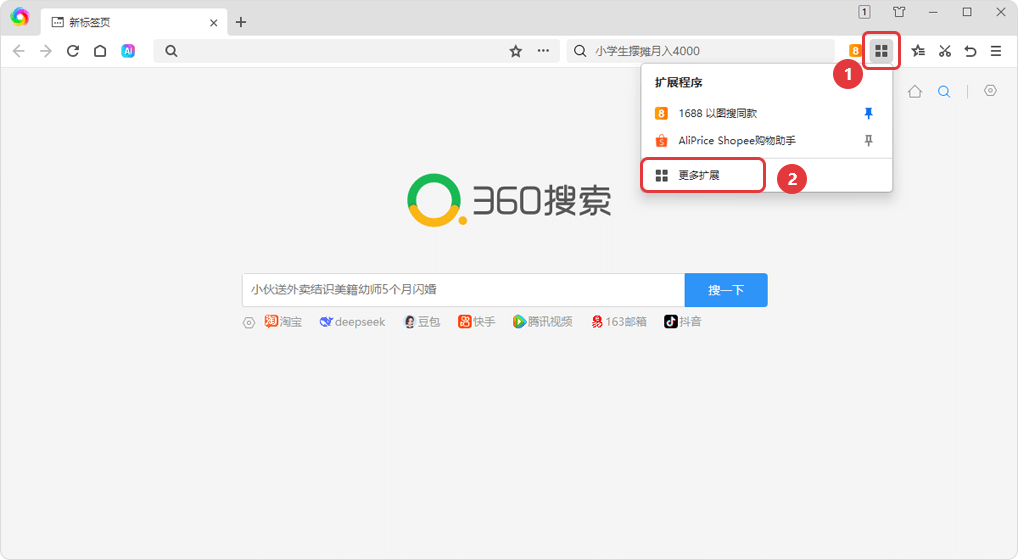
Go to the Extensions Management Page
Method 1: In the browser's top-right corner, click "" icon [More Extensions]
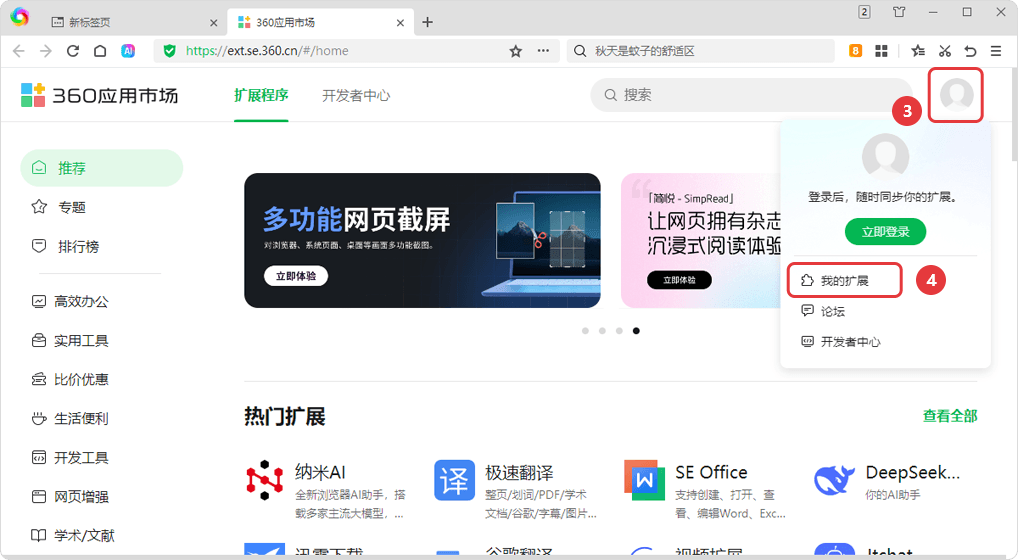
In the top-right corner of the page, hover over [Profile Picture], then click [My Extensions] in the dropdown menu
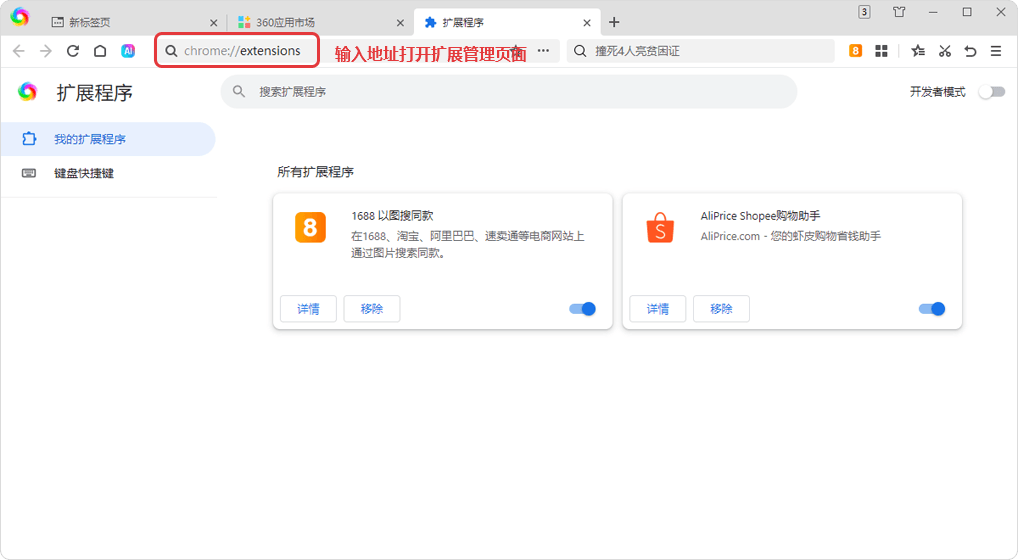
Method 2: Enter chrome://extensions Copy Link in the address bar to open the extensions management page.
2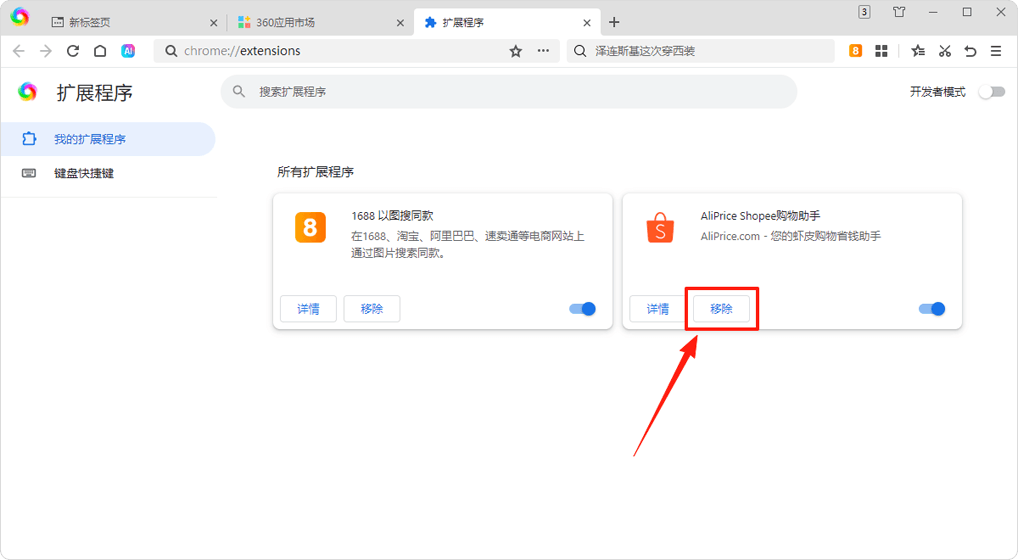
Remove or Turn Off Extensions
Remove or turn off duplicate extensions. It is recommended to enable only one, either " v" or " v".


