USD / Language


QQ Browser: Install Extension
Video Tutorial
Step-by-Step Guide

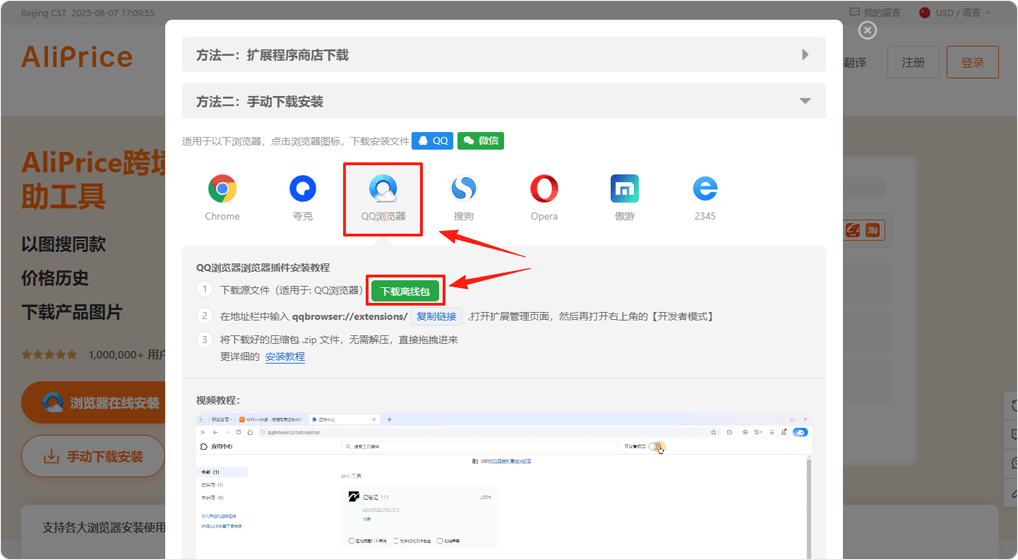
In this pop-up, click the QQ Browser icon, then click [Download Offline Package] to save the extension ZIP file to your computer. Or, click here download offline package directly.
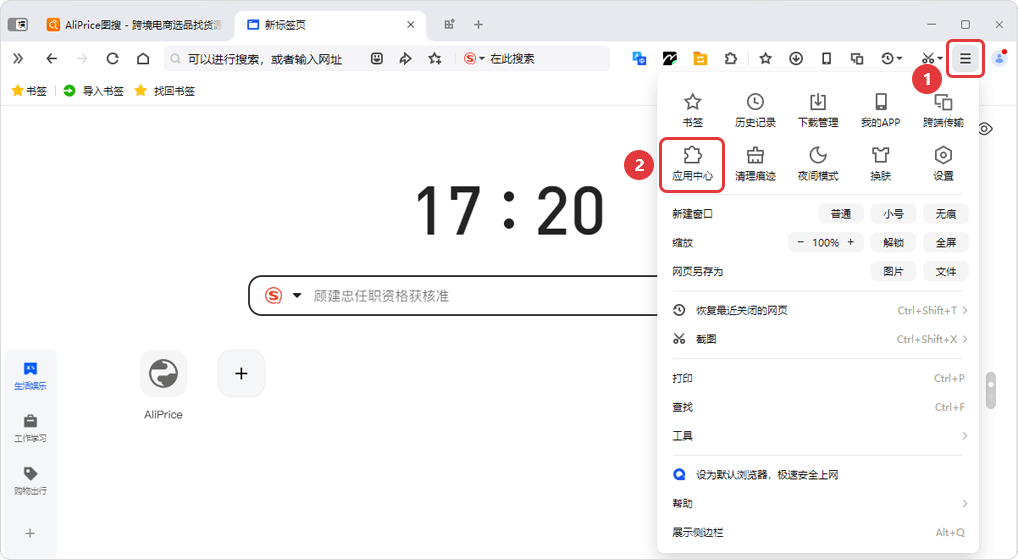
In the browser's top-right corner, click "" icon [Application Center]
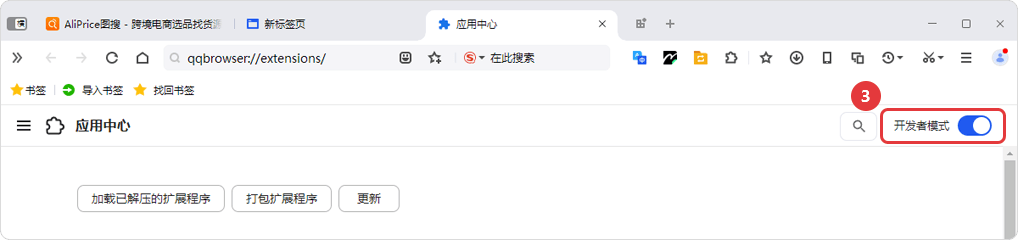
Turn on [Developer Mode]
Once Developer mode is enabled, drag and drop the downloaded ZIP file (do not extract it) directly into the page. After installation, you can delete the original ZIP file; it will not affect the extension.
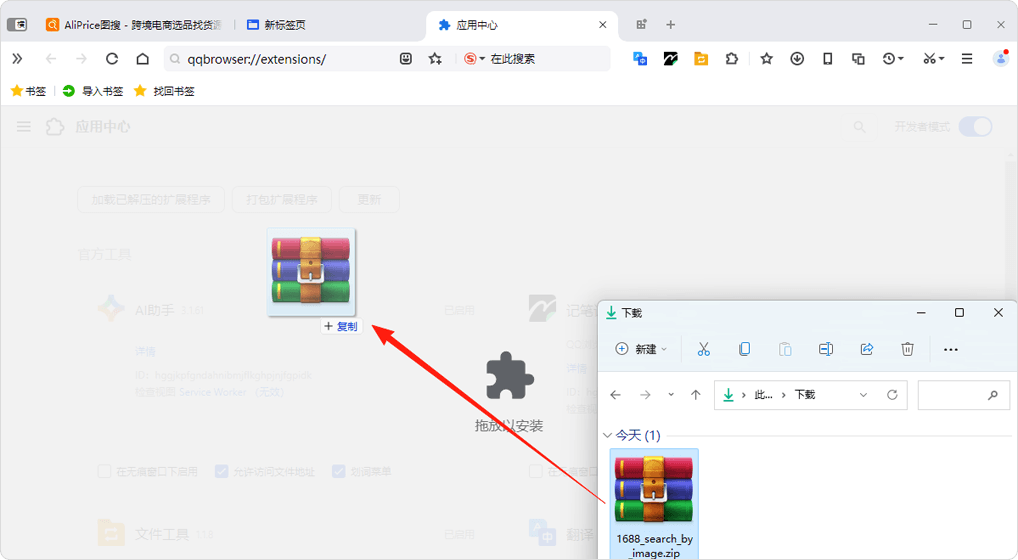
If you see the page shown below, the installation was successful!
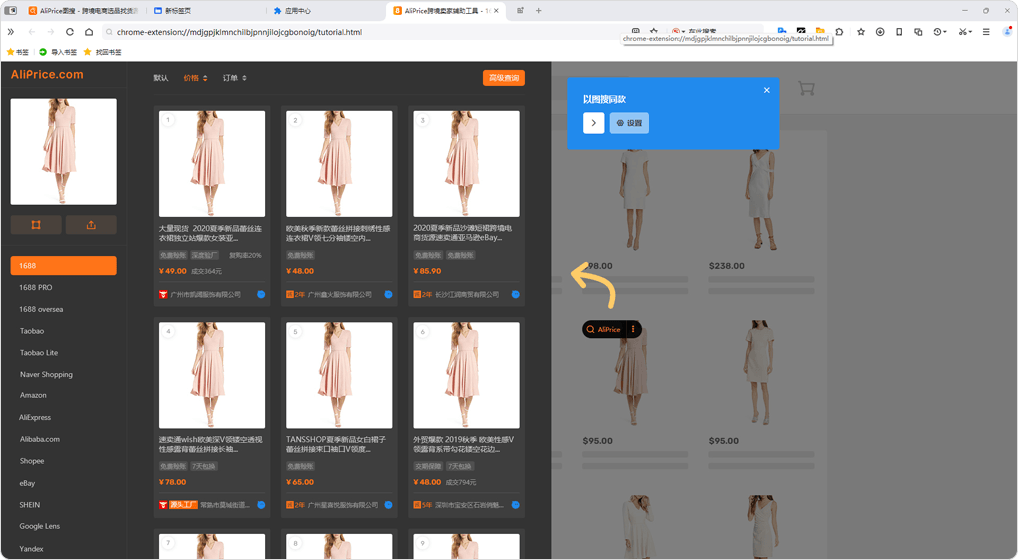
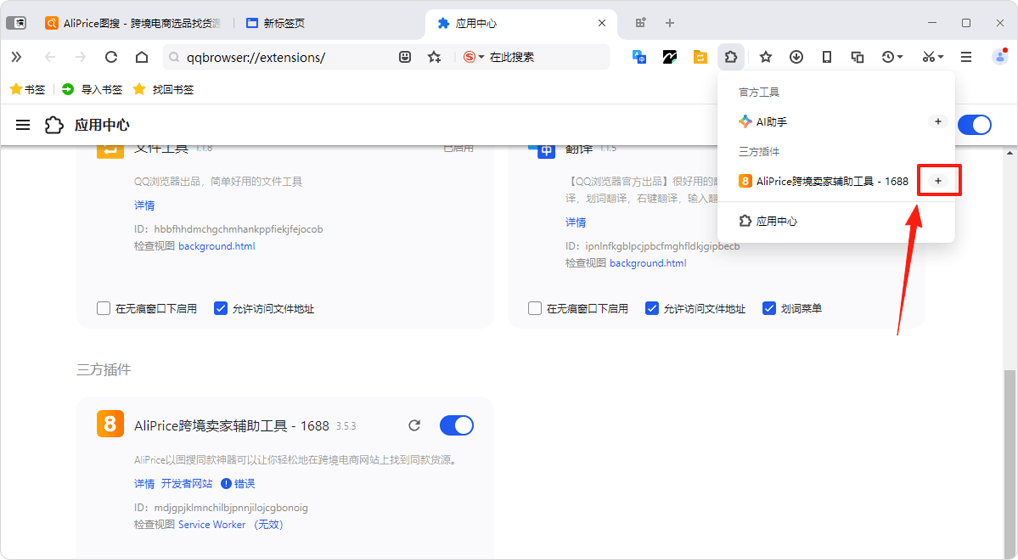
After installation, click the "Pin" icon to keep the extension icon in the browser's top-right corner.
Note: You can ignore any errors or "Service Worker (invalid)" messages after installation. The extension will work normally.