 USD / Language


360 Safe Browser: Install Extension
Note: 360 Safe Browser is currently only available on Windows.
Video Tutorial
Step-by-Step Guide
1

2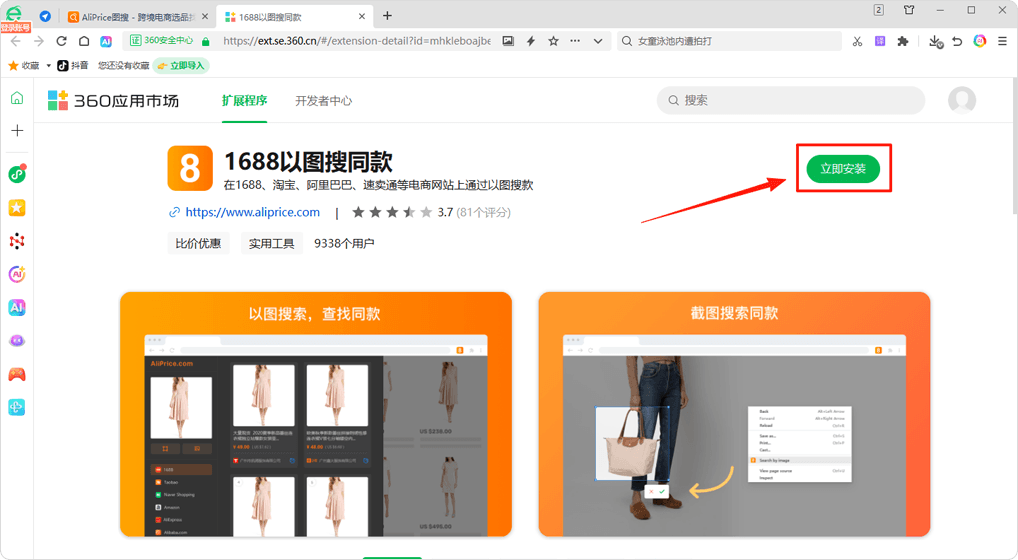
Install
Click the [Install Now] button
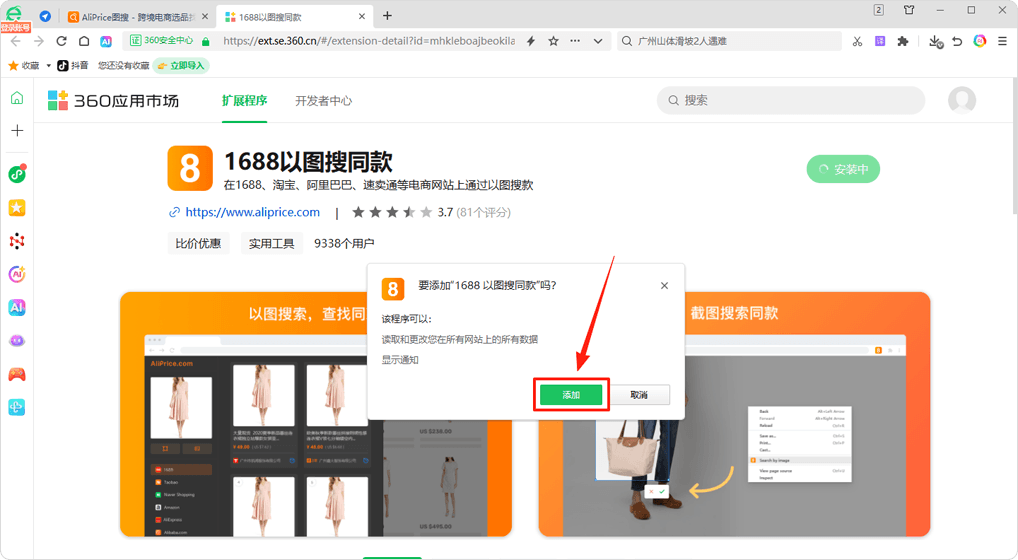
In the pop-up, click the [Add] button
3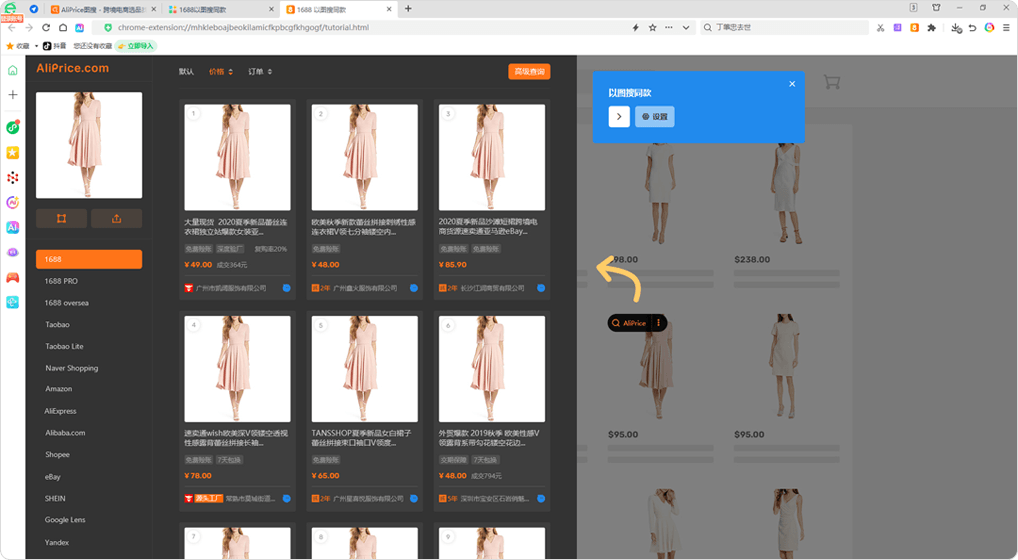
Installation Successful
If you see the page shown below, the installation was successful!
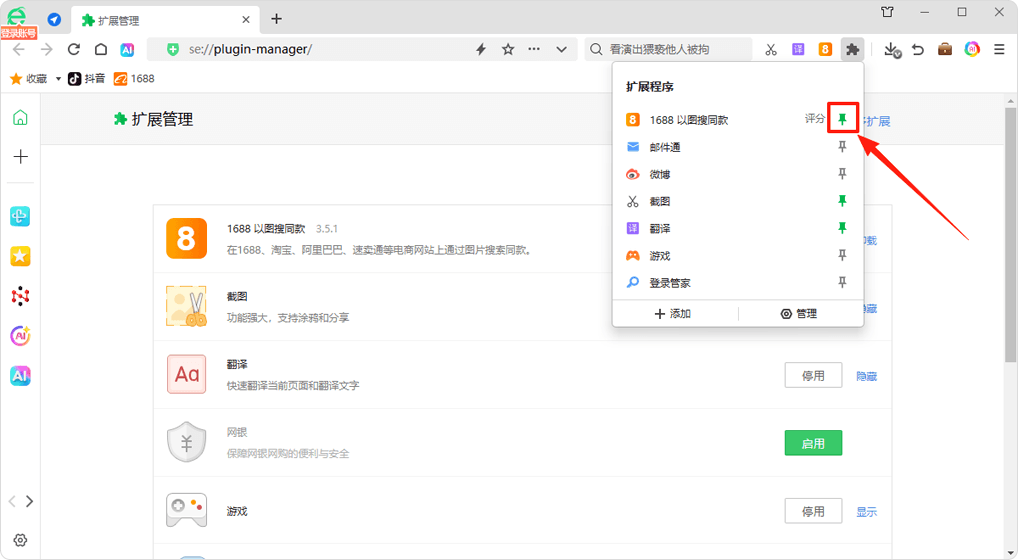
After installation, click the "Pin" icon to keep the extension icon in the browser's top-right corner.


